I know that it seems everyone wants to blog about their experience with an Apple Watch, so why would I need to too? Well, I’m not a professional journalist (as if you can’t tell) – just an everyday person with an interest in technology, so perhaps I’ll offer a different perspective.
So after 3 weeks, what does a ‘normal’ technology enthusiast think? Well… I went for the 38mm black ‘Sport’ Model as I figured fitness would be my main usage scenario.
Wearing a watch
I’ve always loved watches. Not for the bling factor – for me something being expensive doesn’t equate to it being stylish or useful. Ever since my Granddad introduced me to a Casio watch at the age of 8 I’ve loved a good gadget watch, and so the Apple Watch was right up my street. I actually have a Casio which I wear at weekends. It’s a radio controlled analogue/digital hybrid. I don’t wear it to work during the week since I’m usually at a computer all day long, it doesn’t really add much utility. So wearing a watch isn’t a habit I’ve had to get back in to.
Needing the phone
So a major factor in anyone’s purchasing decision is going to be ‘do you own an iPhone 5 or newer’ – if you don’t you can’t make much use out of an Apple Watch. My two and a half year old iPhone 5 still does the job (and until Apple increase the base storage from 16GB, I won’t be upgrading), so I was fine.
The iPhone is needed for a number of things – most apps require the phone to either be in Bluetooth range or the watch to be on the same WiFi network as the phone. This is fine for me as my office has WiFi throughout the building, so I can easily leave my phone in a draw and walk anywhere in the office (even outside) and receive notifications – pretty cool. Some apps don’t even need your phone, they only need a WiFi connection. Messages is one of those apps – I left my phone in my car at the gym, but was able to send and receive iMessages from the watch no problem. Siri also works like this. Maps didn’t work, although it was able to determine my location (from the WiFi base station, I assume), just not show me the map.
Overall the ‘need’ to be tethered to an iPhone is overstated in my opinion, though one thing to note is that the watch will only connect to a WiFi network your phone has previously connected to. So you can’t just head to a coffeeshop with only your watch and expect to get online.
Apps
Most of the built in apps seem well thought through, though with some annoying limitations. I can reply to text messages, but not emails. Both the BBC News and Guardian apps only show me a paragraph before requesting I take my phone out. I’m sure people can make that choice for themselves, so why not show the whole article?
Battery
If you use it like a watch, the battery will easily last you all day. If you use the Workout app or play with apps a lot, you’re going to struggle to get through the day. My Casio is solar powered, so I’m used to feeling the warm rays beat down on my watch and thinking about all that goodness it’s doing charging the battery, however that’s sadly not the case with the Apple Watch. If anything the heat will kill the battery’s longevity. I do hope Apple add solar charging in future iterations.
Workout
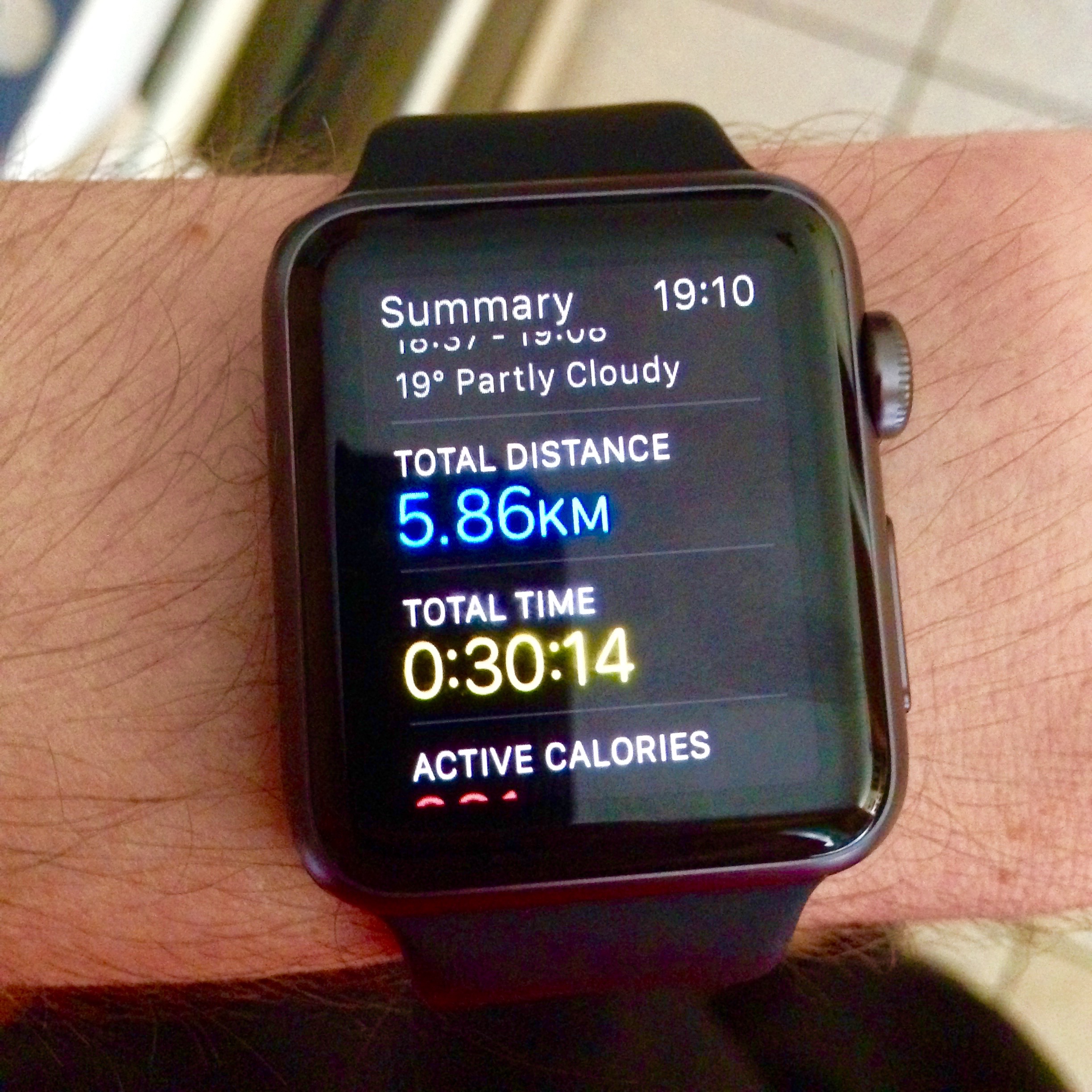
It seems to be pretty accurate (once trained by running outside with your phone’s GPS). I tested it on a treadmill and it was a few percentage points out. I have a tendency to rest on the side of the treadmill for 10 seconds while I switch tracks, it knows I’ve stopped running unlike a treadmill. The ability to leave you phone at home when you go for a run is great, you can play music from the watch via Bluetooth headphones. Unfortunately changing a track while running is not easy (it made me pine for my iPod classic). You have to exit the ‘Workout app’ by pressing home, tap the Clock icon and then swipe up to get to glaces, then swipe across to the ‘Now Playing’ glance. You could also open the music app from the home screen, but it’s way too complex and an odd oversight from Apple.
The daily activity goals are good, however the recommendations are a bit basic. For example I had a daily active calorie burn goal of 400 – On 5 out of 7 days in a week I exceeded it, however it took my average calories over the entire week and suggested a new daily goal of 220 (I had a very lazy weekend). It seemed more logical that it would know that a lot of people will have different behavioural patterns on weekends and suggested something a bit more realistic.
Style/Cost
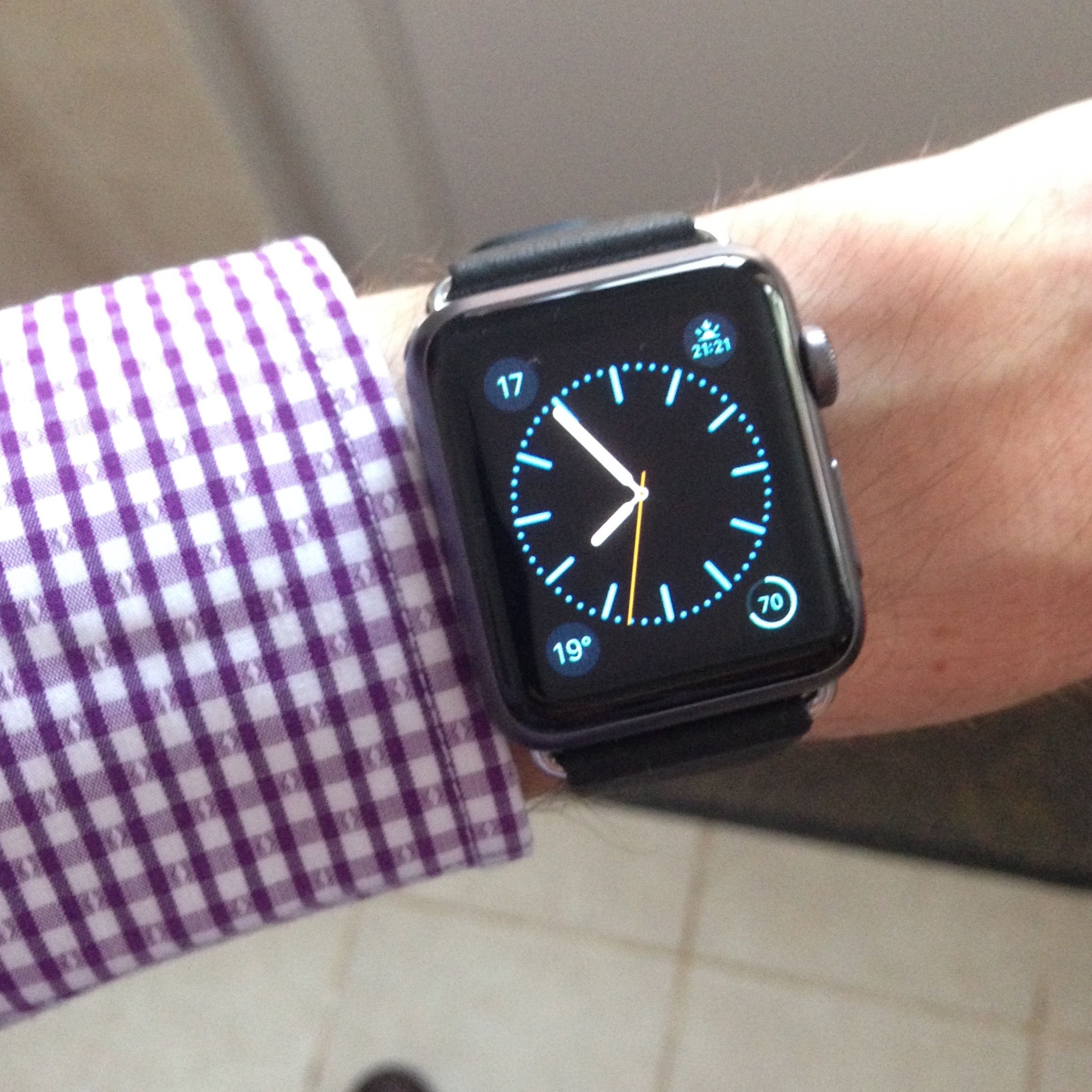
I went for the cheapest option, the black Sport model (I went 38mm not for price but because I have skinny wrists). I looks pretty nice, even with the leather buckle. I probably wouldn’t wear it to a formal occasion such as a wedding, but for business, or social it’s absolutely fine.
Notifications
The best thing about notification is I never have to check my phone any more, since I know I will have gotten a tap on the wrist if anything of note has happened. I had to make sure all but the most critical apps were turned off however, I don’t really want to be interrupted because someone followed me on Twitter.
Text Input
The only way to input text is via voice-dictation. This is fine if your a technology journalist who works from home, or an exec who has their own office – but for the average person who works amount other people (this applies to social occasions too), it’s not polite to start dictating messages to your girlfriend in front of other people. I value my privacy, and so unless I’m alone I generally don’t enter text into the watch. What this device really needs is a way to enter text, Microsoft have the right idea, and I’m disappointed Apple haven’t even included this in watchOS version 2. (I guess it did take the iPhone OS 3 iterations to get copy and paste).
The Watch
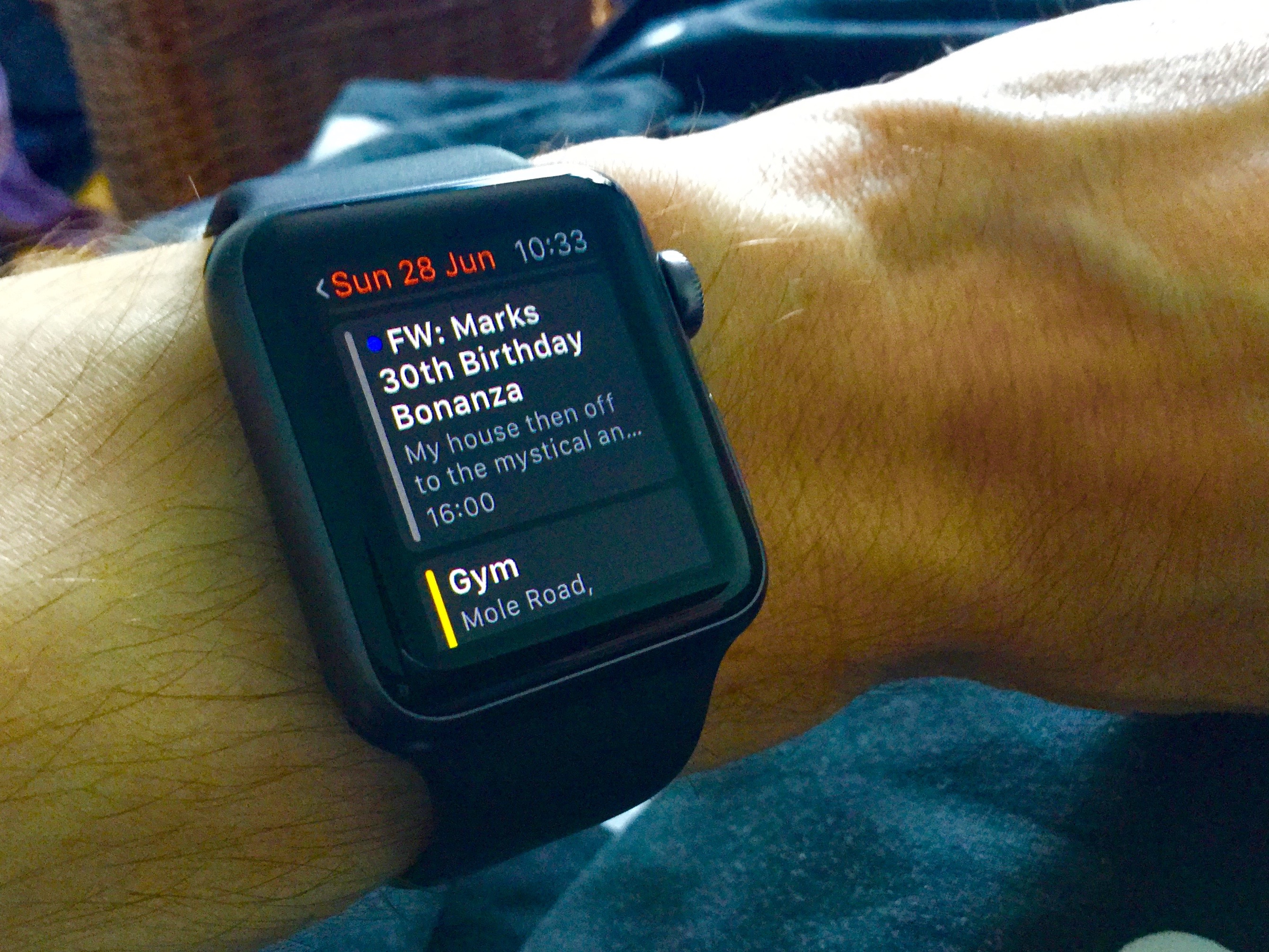
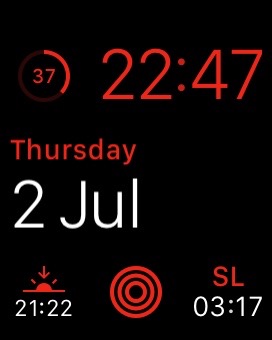
One of the coolest things about the watch is the customisable watch faces. You can add widgets that show the weather, sunset time, battery life, next appointment and more. In this sense, the watch really has utility that makes it worth wearing. I can look down on my wrist and see my next appointment or the current weather conditions.
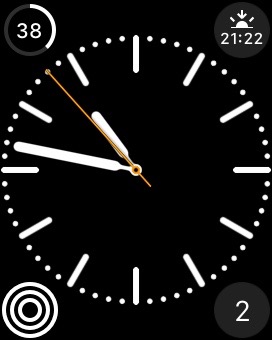
This is the one I use when I’m not at work – it shows me sunset time (how much time I have left to go out for a walk or run before it gets dark), the battery level, the day of the week and my activity for the day.
When I’m at work I like to use this face, which gives me the timezone of our other office, in addition to putting the date front and centre.
Overall, I’m impressed and don’t regret the purchase. Plus, future versions of the device can only get better .👍🏻
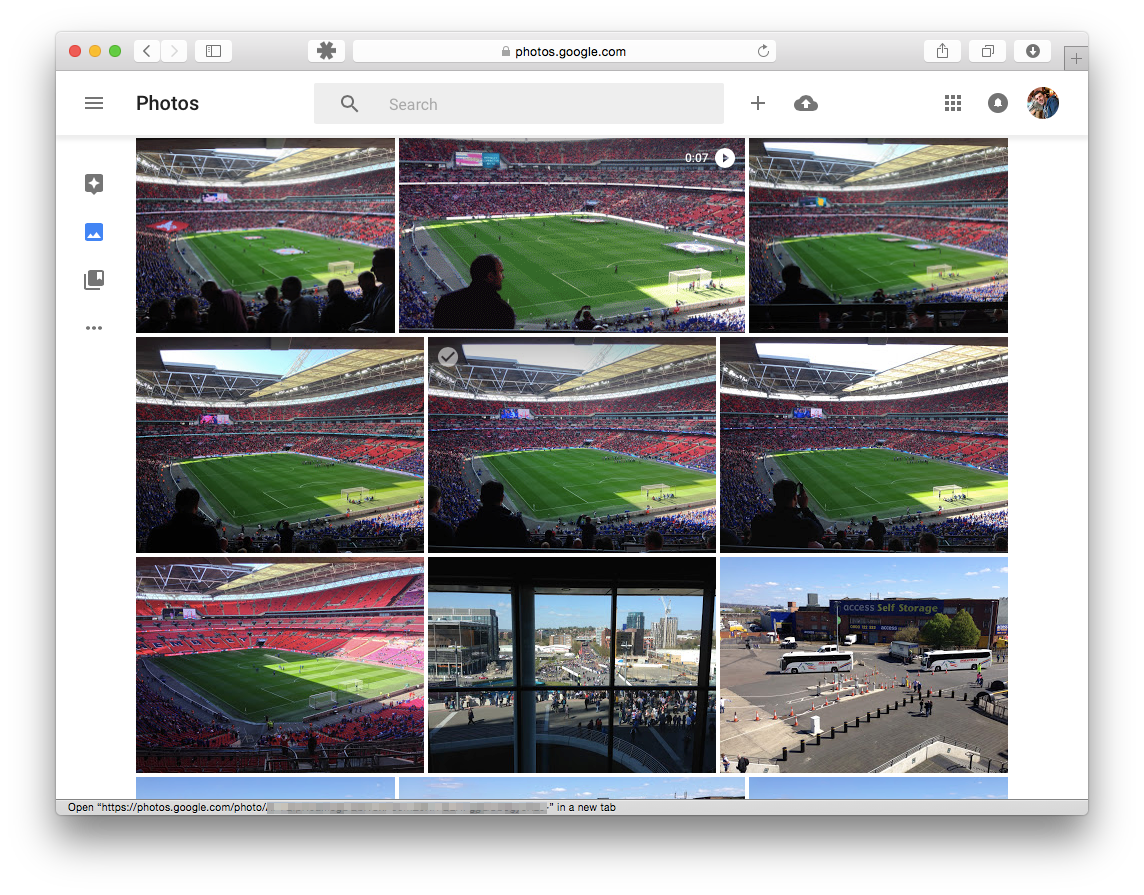
Google announced a new service recently called ‘Google Photos’, and I was instantly intrigued. I don’t use many Google services apart from search, but keeping memories safe is top of my priorities when it comes to online services.
I currently use OneDrive (and before that, Dropbox) to backup photos and was thinking of using Apple’s iCloud Photo Library in addition to this. I like the idea of having every photo I’ve ever taken (in recent memory at least) available from the photo picker in iOS, and on my Mac. However from what I’ve heard in reviews, doing this slows down iOS devices (I have an iPhone 5, which not being the latest device from Apple means it’s inevitably slowed down anyway) and I also want more control over what gets stored on my device. Apple may make nice looking products, but when it comes to storage they are stingy as hell, and my phone is forever warning me that I’m running low on space. I tried iCloud Photos for a few months and found it didn’t save space on my phone as promised, I still ended up with the majority of space on my phone used by the photos I’d taken. It’s also not cheap – you get 5GB ‘free’ from Apple – no matter how many devices you own. So me, with an iPhone, 2 iPads (home and work), as well as a Mac get the same as someone with just an iPod Touch. Out of this 5GB comes any backups you make (which is the majority in my experience), any emails you receive to your iCloud email account, and of course any photos you upload to iCloud Photos. Buying more space is expensive considering you’ve already paid a premium for the hardware in the first place.
So a combination of being expensive and not that good made me decide to stick with OneDrive (despite the fact it can be buggy, it’s at least cross platform and a good price, you get 1TB of space and Microsoft Office for less than £10 a month). Then Google announced Google Photos….
With any Google product there are two things you need to consider: How long will it last before they shut it down, and what are they doing with my data?
I hope this product lasts, and doesn’t go the way of Google Buzz, Reader, Notebook, iGoogle or Latitude (and Google+ ?). With Google, you never know. That’s a big risk when you’re trusting it with your lifelong memories. Luckily it’s free (if you are happy for all images to be down-sampled to a maximum of 16 megapixels – my camera is nowhere near that resolution, so I am) so I would urge anyone using it to also use a service like Dropbox or OneDrive who have a better reputation when it comes to shuttering services.
What are they doing with the data? I’ve no doubt the GPS coordinates tagged inside every photo will be extremely useful to Google for targeting me with adverts. It’s basically my location history. I’m fine with this really.
The app itself is very well written. If you have 3000+ photos to upload like me, then you’ll want to download the helper application that will sit in the background and upload instead of using the browser interface. The web interface scrolls very smoothly and makes it easy to go back a decade without trying to load everything in-between. Unlike the OneDrive web interface, it correclty uses the EXIF data in images to pull out the date, rather than the file’s timestamp. In OneDrive it looks like I took all my photos in March 2015, because that’s when I copied them accross from Dropbox. Google Photos isn’t so stupid, thankfully. Like Apple’s iCloud Photos, you can make edits from within the Google Photos interface. Apple’s approach cleverly stores what you changed in a photo, as opposed to the end result. This means you can adjust the brightness on one your phone, but undo it and add a filter on your laptop without any loss in quality (it doesn’t create a losssy JPEG each time). I’m not sure if Google is doing something simular, but it wouldn’t supprise me.
So all in all, I am impressed – I’m just worried it will be switched off in 4 years when Google get bored of it.
Ever since I was convinced to buy an iPad 4 years ago, I’ve been a massive fan and predicted they would eventually replace laptops for most consumers. Just as not everyone needs a truck, not everyone needs a laptop right? It turns out however, that iPad sales are falling. This is more likely a combination of people having much larger phones, iPads being reliable and not needing replacing, lack of innovation (today’s fifth generation iPad does the same as a second generation, only faster), and the fact that the vast majority of consumers don’t need anything more powerful than a phone. It saddens me that despite the Internet being a place where anyone can publish anything at very low cost (or for free in many cases), most people use it to consume TV and post frivolous Facebook updates that don’t require much more than a mobile phone - but that’s another topic altogether. At the other end of the scale you have business and professional users, who tend to use laptops because they offer much more power. Processing power isn’t as far off as you might think, the power difference is now in the software. Take for example a simple task I needed to achieve last week - downloading an MP3 from a web site (legit I might add! It was to accompany a course I was taking) and add it to my iTunes Match Library so it would be available on all of my devices. This is easy to do on a Mac or Windows laptop, but impossible on an iPad. That’s ridiculous. The other software issue that holds back these devices is the transient nature of applications. At any time your application might get terminated due to lack of memory. This rarely results in any loss of work, as developers usually code with this in min (until iOS 4, this happened overtime you left an app). Not many developers both to restore the state of an application (as they are suppose to), and even when they do having to wait for it to load again is painful. So the answer is no, an iPad can’t replace a laptop at the moment. I would like to see Apple push forward with this vision. Why not have a simplified version of Xcode for the iPad? It could be a great way to introduce people to programming (and could feature the Playground function introduced last year). The built in applications should be updated to support ‘Open In’ so I can open that MP3 file in the Music app, for example. For many users, nothing will beat a dual screen setup with a mouse and keyboard - but I can’t help thinking that 90% of my non-work computing needs could be done on an iPad if the software were better.
Update: 31/5/2015
I’ve been using an external keyboard with my iPad a lot recently, so hardware wise it’s more on par with a laptop. Here’s what I miss most from a full blown Windows/Mac laptop:
The ability to have more than one document open within a single app. Some apps such as Mail support having mutipe drafts open at once, but all the apps I use most frequently such as Microsft Word, Pages and Excel can only open one document at a time. It takes about 30 seconds to close a document and to load another, which just slows me down.
Lack of keyboard shortcuts - such as being able to press ‘Enter’ to send a message, or CTRL + Enter to send an email. Also being able to switch between documents / apps using the keyboard would help too.
Applications getting unloaded from memory. Or rather lazy developers not bothering to reload the state of an app when it gets reloaded. Again, like with the document switching - it gets in the way when you return to a presentation and find the app has gone back to the open screen.
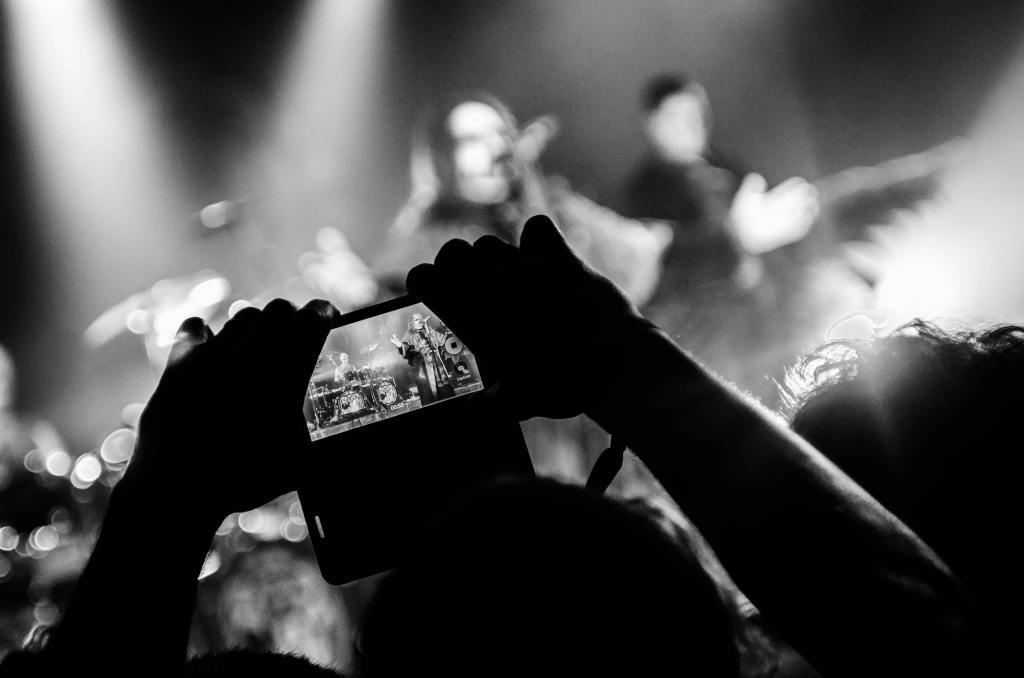
These days, we all carry cameras in our pockets. We can capture and record any event with very little effort and at a moment’s notice. Not surprisingly, a backlash has occurred. (From experience, anything that’s easy and rewarding enough for mass adoption is eventually frowned upon by early adopters.)
People are now criticised for filming events instead of ‘being in the moment’. Kate Bush even banned cameras from her much-hyped comeback shows. Amongst all groups of friends, there’s always the inevitable member who photographs and videos the goings-on (that’s usually me), and while they might seem annoying now, in 20 years’ time, when you want to look back, you’ll be glad for their amateur documentaries.
Having recently discovered some videos of my family that were taken in the early '90s (when I was five!), I am firmly of the opinion that it’s our duty to make sure future generations have the opportunity to see such material. Seeing your parents and grandparents as young people really changed my view of them, strangely putting my own life into perspective. While I’m sure future generations won’t care to see a Kate Bush concert that will undoubtedly end up being available to buy anyway, seeing their mum, dad, or uncle dancing, smiling, and enjoying the event would be fascinating.
So, lose your cool and get that camera out. Take that photo. You’ll be glad you did.
So the details are finally in, and I have to admit – I’m slightly disappointed. I was hoping Apple would unveil some major new functionality at last week’s event, but it was just filling the gaps between what we already knew.
In essence, the watch has 3 main functions: a fitness tracker, notification viewer and of course telling the time. You could also add a 4th function: fashion accessory.
The fitness tracker part of it excites me most, as I have used the Nike Fuelband previously and found it was good at telling me how inactive I was, convincing me to workout more often. After 6 or 7 months, I didn’t need to wear it anymore as I kind of knew when I was active and when I wasn’t. I guess if I was marathon training I might need more detail, but surely and GPS enabled Garmin watch would be more suited in this case? So for me I’m partially excited about this aspect of the watch, but it doesn’t seem groundbreaking to me.
The notification viewing aspect of the watch doesn’t excite me at all. Mainly because it requires I have my phone in the same building. Not being a high-flying executive who needs to view every email within seconds, the thought of having notifications on my wrist makes me shudder. If the watch had cellular networking and meant I could leave the house without a phone, then I would be interested. In fact, one day I see the iPhone being obsolete and the watch being the main connectivity device. When they need a bigger screen, people will tether their iPad to their watches.
Telling the time is of course a very useful function. At work (where lets face it, I spend a good chunk of my time) I have a computer in front of me with the time omnipresent, and typing with a watch on can be uncomfortable. So I only need this functionality at weekends or when I go out after work. My Casio serves its purpose here – do i really need an Apple Watch for this?
Then there’s the fashion element. Apple has, since the iPod been a fashion brand – though a slightly geeky fashion brand. I have a feeling Smart Watches will end up like calculator watches in the 1980’s and early 1990’s – looking dated and ‘of their time’. Then there’s the ridiculously priced ‘Apple Watch Edition’ made out of solid gold. I get that some watches cost tens of thousands of pounds. However, isn’t part of what justifies the price of a Rolex that fact that they have been engineering watches for over a hundred years, and have a reputation for exceptional quality? If Volvo released a Rolls Royce-priced car, it wouldn’t make it comparable to a Rolls Royce. Making something expensive doesn’t make it fashionable. I personally go out of my way not to wear overtly branded clothing (to my dismay, the craze of wearing ‘Super Dry’ plastered over your front like you’re selling children’s nappies door-to-door hasn’t subsided yet, at least in the UK), and so I wouldn’t want a watch that was too ‘showy’.
Of course I haven’t mentioned the apps yet. This is where I think the watch could excel. it could be like the iPad, which I was doubtful about upon its release, but now I think it is the world’s greatest personal computer. Will I buy an Apple Watch? No. I’ll wait and see what the second generation has to offer. My hope is it will have a way of using the device purely over WiFi (I accept cellular is a long way off for battery reasons) so I could realistically go out for the evening, and as long as the place I am going has WiFi, I can still keep in touch.
I’ve been playing the multiplayer for ‘Halo Master Chief Collection’ recently. It’s all of the original Halo games bundled as one, with Halo 2 remastered for the Xbox One. The other games have been upscaled, and the original Halo game brings with it the Xbox 360 visual update it received in 2011.
I was excited when I first heard that the online versions of all the games were going to be included, with every map that’s ever been added (I’m not one for buying DLC, so a lot of these were new to me).
Unfortunately the multiplayer side of things is one big opportunity missed. Rather than take the latest, most refined gameplay elements from Halo 4 and let you play in any map, the game actually loads the version of the game that the map originally came with. I know that might sound obvious, but I was looking forward to playing Halo 4 online, but in some of the revamped Halo 2 maps, or original Halo maps.
I’m sure there’s technical reasons why it wouldn’t be easy to do this, but the experience would have been far greater. At the moment if you join a playlist such as ‘Big Team Battle’, you could end up one of 41 maps, which could run in one of 4 different game engines. Your weapons look different, extra abilities aren’t available, even the height of your jump is slightly different. Why should a user care about different game engines? How are they supposed to learn the game when it’s different everytime, for no other than technical reason?
Want to play your favourite map ‘Ragnarok’? Roll the dice, you have a 1 in 41 chance.
That brings me to my other main complaint, which is that the playlists are too huge and it’s not easy to select which maps you want to play. Team Fortress Classic managed this back in 1999 by showing a list of games, their current map, and the number of players. Take ‘Big Team Battle’ again. This playlist has over 40 maps in it that could randomly get selected. How is anyone suppose to master a map (really get to know the environment, and all of it’s hidden features) when they’re getting one of 41 random chooses in each game?
I’m sure there’s a reason for this, the developers want to make sure a wide selection of maps get played perhaps? Maybe they want to reduce the complexity of the user interface? Whatever it may be, I think being able to choose a map is crucial. Players tend to gravitate towards their favourite maps (take 2fort and rock2 in Team Fortress Classic), surely this is vital feedback for what works? Yes, you can create your own custom games of course, but these only seen to be open to Xbox Live party members.
So in my view, this game is a massive opportunity missed. Buy this game for it’s single player modes, not for the multiplayer.
Last month Microsoft released Outlook for iPad (based on Acompli, an app it previously purchased). Since the company I work for uses Exchange 2013, I was able to take advantage of this and try it out. The interface is a breath of fresh air for anyone like me who is stuck using Outlook 2013’s confusing and dated interface. My favourite feature is the ‘Focused’ inbox, which automatically shows you messages deemed important. Newsletters, alerts and other noise are quietly hidden away so you only see emails from real people. The ‘Other’ inbox is only a swipe away, and the focused view is just that—a view—so it won’t affect your desktop email layout. This is surprisingly accurate and didn’t require much training. Replying to and managing email is pleasant, with the ability to swipe to archive or flag messages quickly.
Outside the corporate world, the app supports Outlook.com, Gmail and other well-known providers. I like to keep work and personal email separate, so I haven’t tried these yet.
Attachments
Another surprising feature of Outlook for iPad is the ability to connect to cloud services such as Dropbox and Google Drive[1]. A lot of network administrators will lose sleep over this, but ultimately it’s a step forward—especially for Office 365 users, who can access all their OneDrive for Business files and attach them to emails wherever they happen to be.
A weak point, however, is the lack of a system extension, so you can’t share a link from Safari to Outlook or send a document directly from Word for iPad. I’m sure this is on the way, but I do think it should have been included in the initial release.
Calendar
The calendar seems quite basic. It doesn’t do a great job of letting me see other invitees’ free/busy information (the main benefit of the desktop version of Outlook), but it’s serviceable for a version 1.0 release. It’s quite buggy; for example, I tried to update an appointment’s start and end times, but it just didn’t work. No crash, no error message—it simply did nothing. I’m sure Microsoft’s latest purchase, Sunrise, indicates that the company is putting some thought into its calendaring strategy, so major improvements should follow. I’m not sure about the unified-app approach—I’ve always wished Outlook on the PC were separate applications instead of one big conglomerate (especially since it’s still full of modal dialog boxes!). Separate apps seem especially fitting for iOS, and I can only assume it’s a branding decision to have one big ‘Outlook’ app on iOS.
Security concerns?
The first release had no security requirements at all, so if your system administrator mandated a passcode on your device, Outlook would ignore it. This has been resolved, though unfortunately it now requires you to set a system-wide PIN rather than just one for the app (as was the case with the previous OWA app). I liked that I could have laxer security on my personal device (for example, ‘ask me for a PIN after one hour’) while the app could be stricter (‘ask me for a PIN after five minutes’)—this worked in the old OWA app, but not anymore, which is a major disappointment. Some administrators might lament the fact that the app will store your emails on Amazon’s AWS servers (soon to be Azure, I would imagine), but this does allow the app to perform cloud processing that ultimately benefits users. The bigger concern, in my view, is that Microsoft released the app without warning or a way to block it, which surely upset organisations with established security practices (ISO et al).
Conclusion
Overall, Outlook for iPad cements the iPad as a tool for business and makes me think that one day many users will be able to use an iPad (or similar device) exclusively at work. It’s missing some key features at the moment (you can’t set your Out of Office), but I’m certain they will arrive in time. The bigger question is whether tablet devices will ever replace traditional PCs in the workplace. That’s probably the subject of a future post, but with Outlook, Office and the cloud it’s becoming an increasing possibility. I personally use Outlook for iPad as more of a sidekick device than a laptop replacement—my job involves traditional desktop software such as Visual Studio and macro-enabled spreadsheets. That said, for many enterprise users an iPad with a decent hardware keyboard is now a viable alternative, if only the screen were larger.
Great to see Microsoft embracing interoperability, in contrast to Google, which refuses to support Windows Phone. ↩︎
As someone who owns an iPhone, Mac, iPad and an Apple TV, I can safely say I’m deeply embedded into the Apple ecosystem. I got my first Mac, a white iMac n 2001 at the dawn of the OS X revolution and loved it. I had switch back to a Windows PC for university as back then a lot of the software development tools I needed were PC-only or required I keep upgrading my OS on the iMac to install them (the poor G3 processor struggled from the offset with OS X).
I came back into the Apple ecosystem with an iPhone in 2009, and later an iPod Touch (now retired), iPad and more recently and Apple TV. They all work well together, and the hardware design and quality is second to none.
So I was excited when Apple announced as WWDC that iOS 8 and Mac OS X 10.10 Yosemite would further deepen that integration. About a month ago I finally upgraded my phone (a trusty 2-year old iPhone 5) and iPad to iOS 8., and two weeks later my MacBook Air to Yosemite. My Apple TV also got upgraded (after weeks of nagging me) to iOS version 7.0.2 (oddly it seems to be on a different versioning system).
In short, I have regrets.
Yosemite on the desktop is the polar opposite of 10.9 Mavericks. While Mavericks was all about optimisation, whether it was battery life or memory consumption, Yosemite is a lavish excursion into a world of translucency and bright colours and unfortunately, some bugs.
Take for example listening to music over headphones. No longer possible if you have an Apple TV on the same network. You either need to unplug the Apple TV, or turn off Wi-Fi. Animations are choppy, and the new looks resembles the much derided Windows Vista. There are a few useful new features; Safari now feels much more streamlined and being able to send and receive SMS messages from the Mac is brilliant. I’d rather have a fast, bug free system running Mavericks and sacrifice these small but useful features, however.
On the Apple TV side things are even worse. It used to be that from a Mac or iOS device you could start beaming audio or visual content while the Apple TV was in deep sleep mode (“off”). This no longer works. Now I need to hunt around for the infrared remote and switch on the Apple TV first. This also rules out using the iPhone Remote app, as it uses the same mechanism and cannot wake the Apple TV. Often I try and beam a video to the Apple TV an get sound coming out of the TV but no audio. Frustrated, I reboot my iPhone or Mac and it still happens. In the end I learnt that I actually need to reboot the Apple TV to get my videos to play.
Nothing major on its own, and yes the very definition of a 1st world problem – my frustration is that this stuff used to work so brilliantly, and now it doesn’t.
On the iOS 8 side things have been surprisingly non-eventful. After the upgrade that was iOS 7 it might just be it seems that way in comparison, but it seems to work pretty well. I love being able to use LastPass in Safari. Occasionally I find Safari will show me a white page, only to show the content when I try and scroll. No big issues though.
Writing bug free software isn’t easy, I know that all too well, so I don’t feel like its fair to call out Apple as being any different to say, Microsoft (one word: Excel). However Apple could make the lives of its users easier by letting them downgrade! There’s nothing wrong with trying something, deciding it’s not for you right now, and going back. Software should be running on a device because the user wants it, not because they have no way of removing it.
I’ve been a subscriber to various magazines over the years. Since 2006 and to this day I’ve had a subscription to New Scientist (that’s just over 400 magazines delivered to my door alone), previously .Net Magazine and PC Pro.
New Scientist is a weekly periodical and appears in newsagents on a Thursday. Back in 2006 (and for many years) this meant it would arrive on a Thursday in the post. Unfortunately as time went on, it became Friday…and then Saturday. Recently I’d been receiving some issues on the Monday, 4 days after I’d seen it on the newsstand and 3 days before the next issue. This seemed a bit bizarre to me, so decided to switch to the cheaper subscription ‘digital only’ subscription.
I read a lot on my iPad, but i’ve always enjoyed the feeling of ‘switching off’ that comes with picking up a real, printed magazine. That said, I’ve found the NewScientist iPad app a vast improvement on earlier attempts at magazines on tablets. Unlike a lot of earlier magazine apps I tried when I first got an iPad in 2011, the NewScientist app is not a scanned-in image of the printed page. That means text is infinitely sharp, and you can select words to look them up (or even copy and paste them). A push notification alerts me when a new issue is available to download, although so far is hasn’t downloaded in the background as iOS NewsStand are apparently able to do. Being mostly text this does mean the downloads are relatively small, so that’s not a big deal.
One thing that does strike me as odd, being ‘digital only’, is the concept of an ‘issue’ itself. Does The Verge have ‘issues’, does the BBC Newswebsite? Of course not, they’re digital publications. I wonder whether magazines of the future will either. There is, however, something to be said for having a completed body of work that can be enjoyed as a whole, and having it delivered on a regular schedule and to be able to refer to back to an article based on its issue number and page rather than URL.
So glad I made the switch. Not sure I’ll be taking my iPad with me to the beach though. Sand and screens have never been a great mix. For that I’ll resort to good old paper.
While self confessed geeks and technology enthusiasts like myself may get 2 or 3 years out of a device (if that, I know many people who switch phone multiple times a year), normal people expect to get a bit more out of these expensive gadgets. I found a first gen iPod Touch in my dad’s glove box today and thought I’d reminisce about how much iOS (then called iPhone OS) had changed, yet in some ways hasn’t much at all.
Home screen
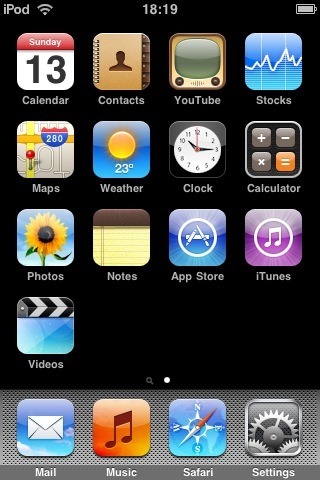
This was how it looked from iPhone OS 1 through to 3 – the metallic dock. The iPod Touch always had separate ‘Music’ and ‘Video’ apps, whereas iPhones has a single app called ‘iPod’. No wallpaper, but apart from that it stayed pretty much the same until iOS 7 moved Spotlight search to the top instead of being on the left.
Lock Screen
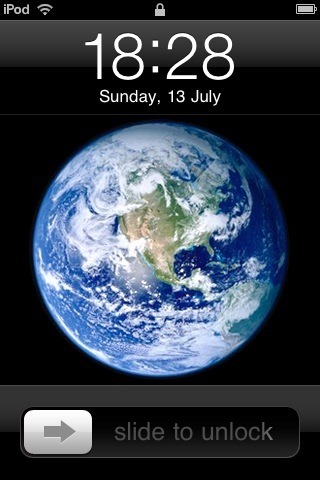
The lock screen stayed exactly the same until iOS 7 – the only minor change was the additional of a camera button in iOS 5.1.
Home button
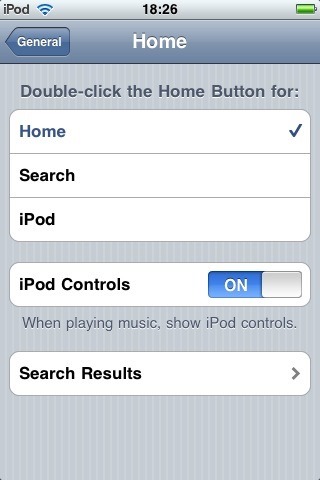
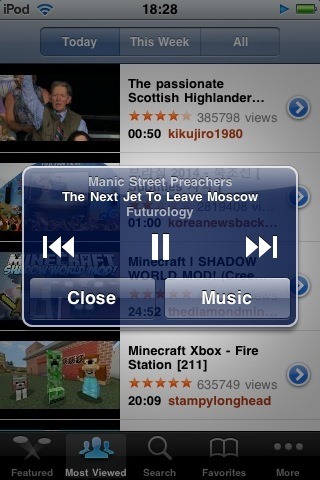
The days before ‘multitasking’ (aka recent task switching) meant the home button ‘double tap’ action could be customised. I always remember having it be set to launch the music player. If you had ‘Show iPod Controls’ selected then you would get an alert box with music controls, no matter which app you were in. Multitasking.
iTunes Store
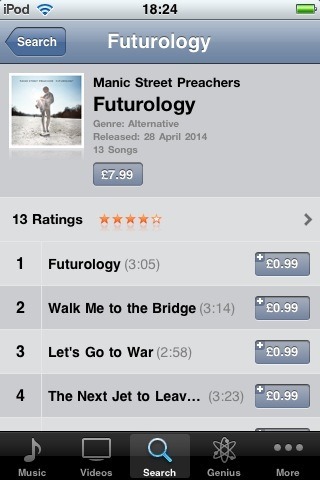
The iTunes Store was a major selling point of the iPod Touch. Being able to wirelessly buy and play an album within minutes was pretty darn mind blowing at the time.
Wallpaper
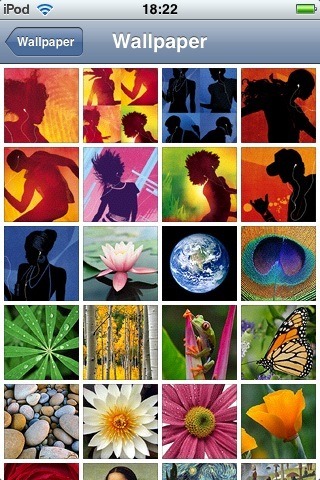
The bundled lock screen images seem very ‘of their time’ – silhouettes with white ear buds.
No Speaker
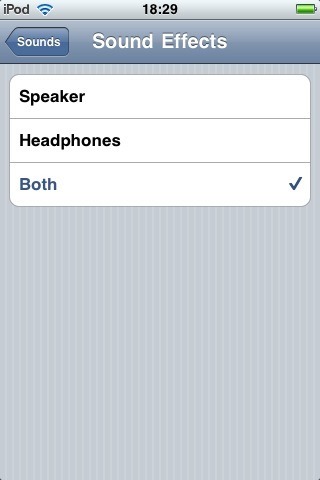
This setting is a carry over from the classic iPod. The original iPod Touch had no loudspeaker. The noises it could make were on par with a Casio watch.
About
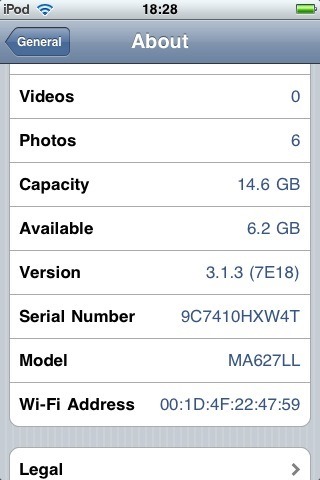
Released in 2007, the iPod Touch got its last software update on February 2nd 2010.