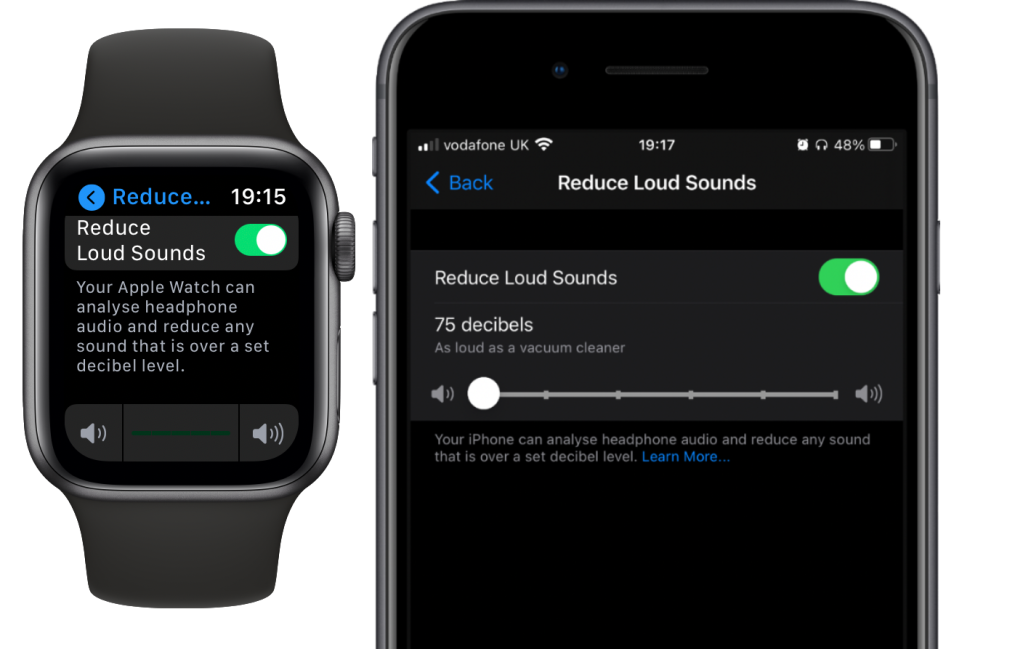
A reminder that you should make sure you have enabled the new ‘Reduce Loud Sounds’ option in both iOS 14 and watchOS 7, which puts a safe limit on headphone volume.
These settings were previous managed in different places within both operating systems and the limit I set in the previous version did not carry over when I upgraded. This is a bit of a worrying slip in QA from Apple, as it could quite easily lead to a potentially ear-damaging situation where someone happily sets their volume to maximum thinking they have a safe limit set, but they in fact do not.
I recommend setting the limit to to the lowest level, 75 dB. Your ears will no doubt have to contend with other shocks throughout the day, so don’t go adding any unnecessary ones. You certainly don’t want to end up with tinnitus like me!
The new setting can be found under Settings → Sounds & Haptics.
Update: Apple have acknowledged the bug described above.
It’s hard to believe that the Apple Watch has been a product now for over five years. It still seems like yesterday that I drove home from the Apple Store with the fancy new gadget in my bag, excited to see what it could do. That was June 2015. Over the past five years the product has evolved so gradually that if you’ve been paying close attention to each release, it would be difficult to pin down what exactly changed and when. However, just like seeing an infant relative for the first time in months and noticing how much they’ve grown, if you were to compare the current generation Apple Watch and its latest operating system to the original, it’s clear that the product released in 2015 and the product Apple sells today is vastly different.
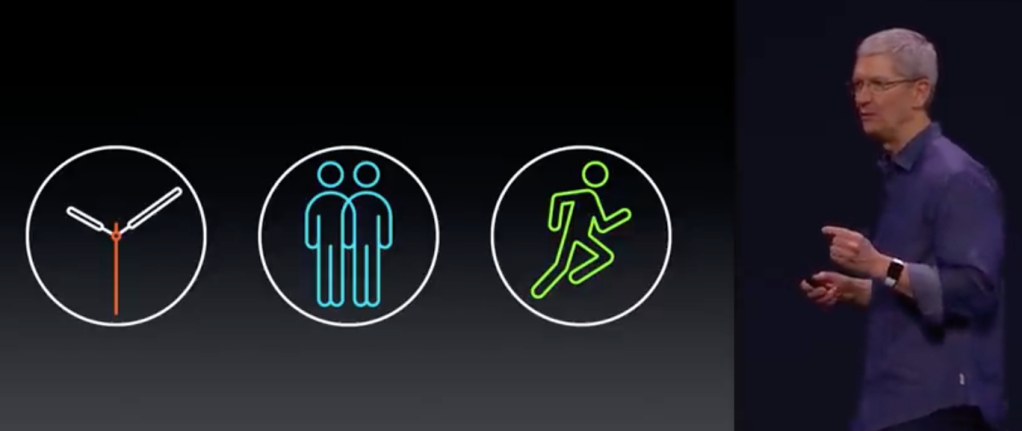
When Apple announced the Apple Watch in 2014, it was billed as three things:
A highly accurate and customisable timepiece
An intimate communications device
A comprehensive health and fitness device.
At the time I felt they were trying too hard to mimic Steve Job’s famous introduction to the iPhone where he initially sold the audience on the fact he was introducing three products (A widescreen iPod with touch controls, a revolutionary mobile phone, and a breakthrough Internet communications device.) - but the joke was on them, it was of course a single device.
Whilst that framing helped consumers understand the iPhone, for the Apple Watch, it only seemed to add confusion. An accurate and customisable timepiece? Swatch watches are highly accurate and come in every possible combination of colours imaginable. Accurate? Some people pay thousands of pounds for less accurate mechanical watches. What does an intimate communication device even do that my phone can’t already? Health and fitness however. Oh… now I get it.
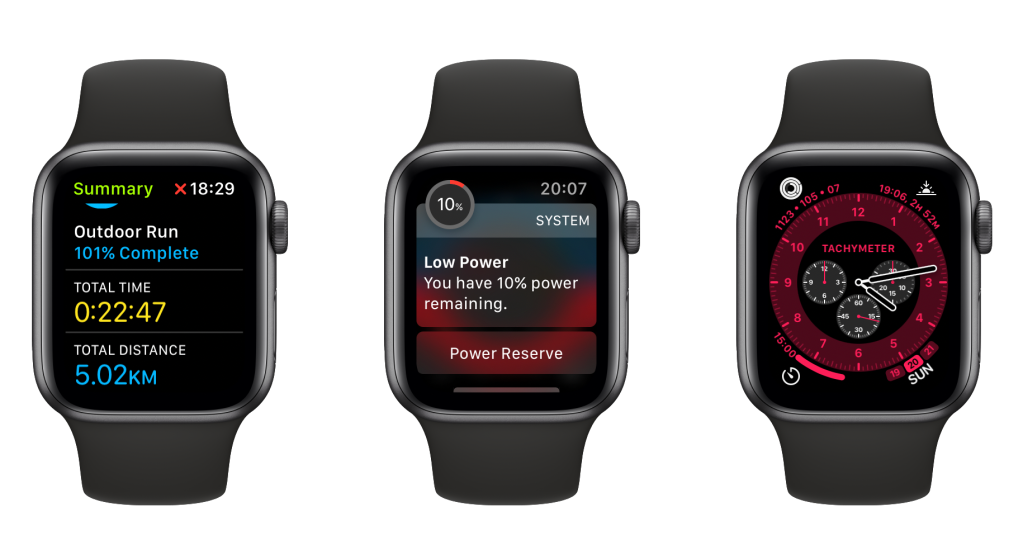
As the years went on, the watch became more and more focused on fitness - with the addition of GPS and waterproofing, and health, with fall detection, irregular heart rhythm detection and now the ability to measure blood oxygen levels. The operating system has also evolved to become more focused. The ability to set pace alerts when running, and see your current speed when cycling were obvious features missing from the original release that are present now. What hasn’t happened yet though, as many predicted, is the watch replacing our phones. While it can technically do the job of a smartphone: maps, directions, messaging, phone calls - the combination of a small screen and still terrible battery life mean it’s still not a viable phone replacement for most people.
Now after five years of the Apple Watch, it’s time for watchOS 7. I installed it the day after its release, eager to check out its new features
Installation
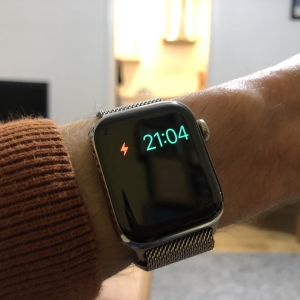
Let’s get the bad out of the way. Upon installing watchOS 7 my battery life became atrocious. On the second day, my battery was dead by 9PM, and that’s having charged the watch fully at 1PM. In addition, the watch stopped being able to track workouts using GPS. It was if I’d disabled location services, but I hadn’t.
If you Google anything to do with Apple devices having poor battery life after an update you’ll often find a common folktale that puts it down to “Indexing” - yes apparently after 13 years of software updates, Apple still runs a battery draining process to do “Indexing” after every update. This is most likely BS, as what is there to index on a watch anyway? After trying all of the obvious fixes, and with a watch that couldn’t log workouts or last the day, I ended up wiping the watch and reinstalling watchOS. Thankfully, this seemed to solve both the issues and was now back in business.
Sleep Tracking
The headline feature of watchOS 7 is of course sleep tracking. I’ve tried various sleep tracking apps in the past, and I’ve never really found them that useful. I just find that I don’t need an app to tell me whether or not I’ve had a good night’s sleep - it’s pretty obvious. Maybe I’m missing the point, but having to micromanage my device by charging it at the right time, and having to wear a chunky watch to bed seems like too much hassle for very little gain. Needless to say, I haven’t tried the new sleep tracking features. The addition of sleep tracking does mean that the wakeup alarm is now shared between the phone and watch. The end result is my watch telling me its set to wake me up with a vibration alert, even though my phone is actually what goes off - presumably because I’m not wearing the watch during sleep. I like this feature, but it does add complexity. In fact, to even set a wake alarm I was pushed into a long wizard that had me setting up a ‘sleep schedule’ complete with reminders to charge the watch and other things. It all felt a bit too complicated and onerous for a part of my life that’s supposed to be relaxing. It also smacks of technocratic solutionism - the idea that by defining a ‘sleep schedule’ on my phone, and with some pretty graphics and notifications, I will be on my way to a life of blissful nights of full and restful sleep. If anything, I imagine switching off my smartwatch and smartphone a few hours before bed would do a better job of helping me sleep than defining a ‘sleep schedule’ and monitoring my every move at night.
Fitness
The Activity app has been renamed Fitness. It’s a subtle change, but reveals a lot about where the engineers at Apple see the device fitting into people’s lives. The word ‘Activity’ implied passive measurement of one’s movements, whereas the word ‘Fitness’ is full of aspiration to become better, stronger and fitter. Not everyone who buys an Apple Watch will be a fitness enthusiast, even if that is what Apple would have us believe in their advertisements which are full of good looking, trendy people who live in gyms. I wonder how this change will affect people who know they aren’t fit, or who perhaps struggle with physical exercise. For a company that strives for inclusiveness, I do worry whether Apple can be a bit self indulgent sometimes, designing products that are perhaps a bit too focused on rich Silicon Valley 20-somethings, and not the population in general (except when those outsiders fit into neat boxes, e.g. old people who are likely to fall over). Perhaps that’s unfair, but it’s a concern I have all the same.
The new Fitness app finally lets you change the fitness goals for exercise and stand (the green and blue rings), but stops short of letting you choose different goals for different days of the week. While I love the gamification of meeting my active calorie target, I find that on days when I run 10 miles I tend to nearly triple my target, while on days when I am purposely resting, I struggle to meet 75% of my target (Even a 30 minute walk won’t get me close). In the end, I choose a target that I know is beatable most days with a bit of effort - but I’d much prefer to set either a weekly target, or to be able to designate certain days as ‘rest days’ - something that factors in the realities of real life fitness training. Despite what the Fitness app may recommend, you can’t just keep burning more and more calories each day without also taking rest days and eating the right foods. A more holistic approach to fitness would be welcomed here. The new Fitness app also integrates with the new apple Fitness+ service. The geek in my thinks this is super cool, the fact that my heart rate will be shown on the Apple TV, while the watch triggers haptic feedback that is synchronised to events in the workout video is frankly genius. However, the cynic is me also thinks that $9.99/month for what are essentially pre-recorded fitness videos is an awful lot when compared to a service like Netflix. I will definitely try it when it comes to the UK, but I’m doubtful whether I’ll keep it beyond the free trial.
Family Setup
The other big feature of watchOS 7 is the ability to setup watches that are paired to an iPhone, but can be used by another member of the family who doesn’t own that phone - for example children too young to haven an iPhone. I don’t have children, but I think this is an exciting step towards the Apple Watch not requiring a phone at all. Tellingly, when setup in ‘child mode’ the watch does not try to get children to work towards a calorie burn goal, instead they are given a ‘move time’ goal. Whether this is due to limitations in the calorie-burn algorithms or whether Apple thinks it would be bad for the mental health of children to be even thinking about how many calories they are burning I am not sure, I’m hoping its the latter.
Whether anyone would actually buy their kids an Apple Watch remains to be seen - if the child is old enough to wear a watch that costs nearly £300, then surely they must be old enough for a phone - but if it helps Apple learn how to make an Apple Watch that could work for Android users or without an iPhone, then that can only be a good thing.
Watch Faces
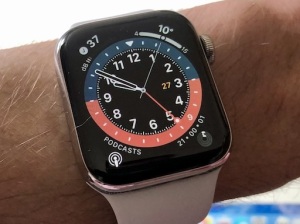
In watchOS 6, Apple finally decided to add some decent analogue watch faces. Before watchOS 6, almost none of the analogue faces had numerals, which coupled with the weirdness of having a circular face on a rectangular screen, made it frustratingly difficult to tell the time. In watchOS 7 Apple have added even more watch faces with actual numerals - three of which are essentially the same face with their own individual built in functionality: GMT lets you track the time in another timezone, Count Up has a built in stopwatch that is shown inline, as does Chronograph Pro - though the data is shown in the style of a traditional chronograph. Interestingly, these built-in applications keep running when you switch watch face and maintain their own state, unlike the original chronograph face from 2015, which simple displays data from the built-in in stopwatch app.
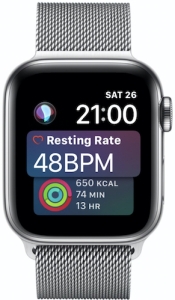
Disappointingly there is no update to the Siri watch face. It still looks like it was designed for the older 38/42mm size watches (Series 3 and before). In iOS 14, Apple gave us home screen widgets and the ability to create a smart stack - a single slot that can be set to show any number of widgets. The system will determine the appropriate widget to show based on your usage and the other data. Ever since 2015 I have wanted this feature on the Apple Watch. It should show me the weather when its about to rain, my cellular signal when the watch is using cellular, the time remaining on a timer when a timer is running, my battery level when its getting low etc.
Until this happens, the Siri face is the closest you can get to this kind of ‘smart complication’, but I don’t use it because it’s frankly ugly and not very customisable. Apple really needs to give it some attention, or if not, build in a ‘smart stack’ like system for complications and let any watch face be smart.
Miscellaneous
The other exciting feature of watchOS 7 is optimised battery charging - this feature means that the watch learns your typical usage patterns, and once placed on the charger for the night, will only charge to 80%. It then waits before charging up to 100% based on when you are expected to start using it again. This means less time with the battery kept at 100%, which means overall greater longevity for the battery. The system is linked to your location and wakeup alarm, so if you’re travelling or have an early start it will default to charging straight to 100%. (It’s also coming to AirPods soon, where due to their even smaller batteries, it is desperately needed).
Force Touch has been removed completely - this is mostly a good thing as it wasn’t a very good idea in hindsight, but it’s a shame they don’t allow watches that still have the hardware use it as a shortcut for pressing and holding - entering the mode to edit watch faces seems a lot slower now and I’ve even triggered it accidentally, which never happened before. Talking of speed, there are no issues on my two year old Series 4. In fact, Apple seems to have made a point of speeding the animations so everything feels much faster.
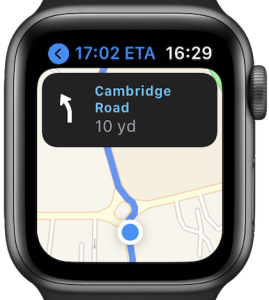
Many of the built in apps seem more polished. Maps for example now shows both directions and the map at the same time which makes using the watch for walking directions much more intuitive. The Remote app seems more reliable, and the Podcasts app seems to do a better job of syncing between the watch and phone. I can’t say whether this is the result of watchOS 7 or the consequence of wiping and reinstalling watchOS - but I’m happy either way.
In Summary
Overall watchOS 7 is a solid release - it’s faster on the same hardware, and brings with it some much desired new features. If I were Apple, I would be keeping my eye on the additional complexity that is creeping into watchOS. What made the Apple Watch such a joy to use in 2015 was in part its limitations. I understand the juxtaposition Apple is in - they have to be seen be moving the platform forward - but in an age where people are addicted to their smartphones more than ever, the Apple Watch’s sweet spot is being able to help you lead a healthier life by monitoring your activity and vitals, while also helping you lead a happier life by being simple and less addictive than a smartphone. How Apple strikes the balance going forward will be vital to its success.
Update: Apple have acknowledged the bugs described above.
Prediction: Apple’s ARM based Macs will not only have touch screens, but will employ a FaceID sensor capable of recognising a hand reaching for the screen. As you go to touch the screen, the operating system will enlarge certain UI elements to make them easier to touch.
For the past few years I have decided to play it safe and wait for a couple of months for new iOS releases to settle in before updating. This year however, I decided to live on the wild side and upgraded on release day.
Well, I paid the price for installing what is essentially beta software on my phone. Somehow when arranging home screen widgets, the springboard application managed to loose all knowledge of the folders I had created, and the applications I had placed into them - a system I had been building up and had carried over from my iPhone 5 when I switched back from Android in 2012.
I happened to be screen recoding at the time. In the video below, keep an eye on the number of home screens (the dots at the bottom) - watch them change from three to fifteen as all of my carefully curated folders are lost.
I could have restored my device from a backup, I didn’t like the thought of having to reauthorise all my Apple Pay cards and wait for hours while my phone sat there restoring (I’d also loose a day’s worth of messages and photos). In the end, I’ve decided to fully embrace iOS 14’s new App Library system, placing a few frequently used apps on the home screen and letting the system sort the other apps into folders for me.
Bugs happen, and while this is technically a data loss bug, the data isn’t that critical. The world’s most valuable company, with all its piles of cash, releasing its software in such a poor state has just served to reenforce the fact that when it comes to software (and possibly products in general), money alone cannot buy success. People and processes are what make successful software. In Apple’s case, I suspect the release date was decided not by engineers, but by the marketing division.
If you own an Apple Watch, I highly recommend turning off the “Notifications Indicator” - the red dot at the top of the screen that indicates something is waiting for your attention. For me, it was an itch I just had to scratch. With it turned off, I am less likely to be distracted when simply checking the time, and therefore more in the moment, and far less stressed. This recommendation of course goes along with the most important piece of advice for Apple Watch users: turn off notifications on the watch for every app except the ones you really care about. For me, this means I mainly have messaging, fitness and authenticator apps going to the watch. Games, Netflix, social networks, and especially news alerts are diverted to my phone (in fact I might just turn off news alerts altogether!). The notifications indicator can be turned off from the Apple Watch app on your iPhone under “Clock Settings”.
When you do the maths, it turns out a man in his 30s has a higher chance of developing a long-term illness than someone in their 60s does of dying.
Now the math: When you multiply the hospitalization rate for 30-something men (about 1.2 percent) by the chronic-illness rate of hospitalized patients (almost 90 percent), you get about 1 percent. That means a guy my age has one-in-100 chance of developing a long-term illness after contracting COVID-19. For context, the estimated infection-fatality rate for somebody in their 60s is 0.7 percent
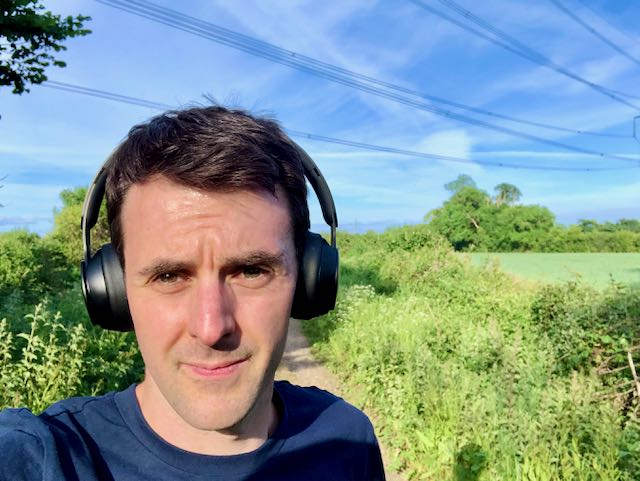
Back at the end of February I decided I needed to get a pair of over the ear headphones for the office. (Little did I know I’d have only about another 3 weeks left in the office until my recent return at the end of August.)
I originally had my sights (sounds?) set on the Sony WH-1000XM3. These are often considered best noise cancelling headphones on the market - and noise cancellation is what I was after. Office life can be full of interesting distractions, but nothing beats putting on some Radiohead and getting lost in your work for a couple of hours. My AirPods were great, but over-the-ear headphones are even better for really blocking the outside world and being able to focus.
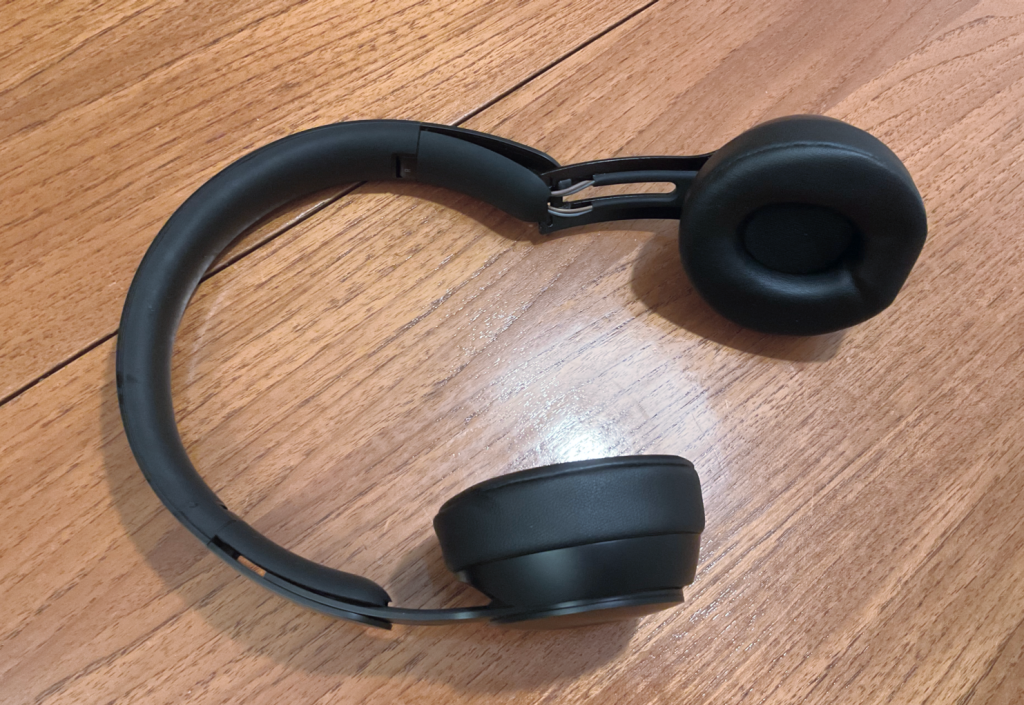
Moments before hitting the trigger on the buy button, I remembered that Apple owns Beats, and that means that newer Beats headphones have the same H1 chip founds in the AirPods Pro - this in turn means seamless pairing with all the Apple devices I own, the ability for new messages to be read out automatically, and handsfree use of ‘Hey Siri’. At the last moment, I changed my mind and went for the Beats Solo Pro instead. At the same price, most reviews has reassured me that the sound was actually pretty decent, unlike previous generations of Beats (which I ended up returning because of this).
First impressions were great. The sound is indeed very good - not as good as the AirPods Pro, but still extremely enjoyable and seemingly optimised more for music than for podcasts or phone calls. Comfort-wise, they can be a bit hot and because unlike the Sony WH-1000XM3 they are on ear not over ear, but are fine for wearing for a couple of hours at a time, but certainly not all day.
So far, so good. Until I took them outside during my government mandated daily lockdown exercise. It turns out that both transparency and noise cancellation modes are pretty much unusable outside due to the fact that even the smallest, most minor breeze will be picked up by the onboard microphone and amplified right into your ears. Imagine someone blowing into a microphone and that’s what it sounds like. While this obviously won’t be a problem in the office, I can imagine a lot of people buying these for use outside - and they will likely be disappointed.
So while the H1 chip and integration with all of my Apple devices is excellent, the sound really punches, they look decent and are OK-ish on the comfort side - this one issue makes me wish I’d gone for the Sonys instead.
This a just a brief review to highlight the issue of wind effecting the Beats Solo Pro. For a more rounded review, I highly recommend this YouTube video.
Update: August 2023
After nearly three years (1,051 days to be exact) the headband snapped, and the Beats went in the bin. A few months later I replaced them with the Sony WH-1000XM5s. The sound quality is remarkably better and make the beats sound awful with the benefit of hindsight.
In a strange move for a Conservative government, it was announced recently that workers will actively be encouraged to return to the office in order to help businesses such as coffee shops, who rely on the custom of office workers. I use the word ‘strange’ because asking the population to behave in a certain way in order to support part of the economy seems like the beginning of a planned economy – the antithesis of free market conservatism - proving it’s not the panacea they often claim. In addition, many local independent shops have actually enjoyed a boost due to people staying at home in places that would usually be deserted during the day.
I recently broke my streak of 115 days of home working and returned to the office for the first time since March. I eagerly anticipated not having to use Microsoft Teams video calls and seeing my colleagues for the first time in person. No more would I have to endure delay, frozen screens, and overhearing partners taking meetings with their own colleagues. I was granted the pleasure of instant conversation without the awkward fumbling of headsets and the repeated ‘Can you hear me now?’ punctuating every call. I thoroughly enjoyed casual chat and felt my wellbeing improve instantly. With a limited number of people allowed in the office, it felt different to the warm buzz that would usually emanate beneath rows of monitors, but it was still hugely valuable.
Working from home has it benefits too. The lack of a long commute meant more exercise, extra pocket money and less road rage. I was able to focus more on completing tasks and I no longer had the regular 10 minute coffee and chat break in the kitchen. You could argue that in knowledge work, taking your mind off the task at hand can actually reap massive rewards, so maybe having a balance between the productivity of home work and the creative head space of office work is probably the way forward.
Whilst for many the future of work will be remote, I believe there will always be a need for a common shared office space. Whether it be a the feeling of awe we get when entering a well designed, bustling office, the motivational speech given by a company leader, the wearing of corporate ID lanyards, or just having lunch with colleagues – these are quasi-religious behaviours that are deep-seated in human history and enforce a sense of ‘togetherness’ that is essential for productive teamwork. That said, some peace and quiet is also important – so my ideal split would be something like 3 days a week at home, and 2 days in the office.
Maybe the government doesn’t need to encourage the complete return to office work quite so earnestly. Maybe those that can remotely work should be given a choice to find the balance that works best for them.
A change discovered in iOS 14 and macOS 11 betas this week suggests that Apple is hoping to quietly hijack and redirect users into its paid Apple News+ service
From various comments I’ve heard of Apple News+, one of the most frustrating aspects of the service is that even after subscribing, when you click a link on the web that’s behind a paywall, but is from a publisher you have access to as part of your Apple News+ subscription, you are still locked out from reading it. The only way to read the article that you’ve paid to access is to search for it within the Apple News app. I’m pretty sure Apple are simply addressing this flaw in the design and common user complaint. If you don’t pay for Apple News, and haven’t started a free trial, this won’t effect you.
So no grand plan, no ‘power move’, and certainly no attempt to ‘hijack’.
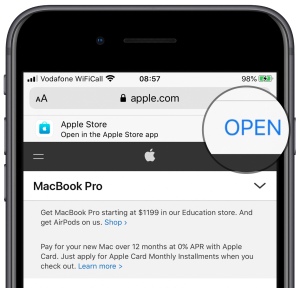
That said, I think iOS should have an option to stop all web (http) links launching apps altogether - not just Apple News. I’ve uninstalled apps such as The Guardian because I was fed up of web links opening in the app. Apple already has an elegant way to show you that an app you have installed can be used instead of the web - “Smart App Banners”. One extra tap isn’t really a big deal and would’ve caused less uproar in the case of Apple News+.
Smart App Banners prompt users to install or open a website’s app, and once the app is launched, users are shown the same context within the app.
Another day, another news story about Apple’s App Store policies. This time, it is Microsoft complaining about the fact Apple’s rules mean Xbox Game Pass cannot be made be available on the iPhone or iPad.
While I can see the argument that Xbox Game Pass is simply Netflix for games, as I see it, the key difference is that games are software and videos are content. If Apple allow software to be streamed in the store, could this, in theory, open the floodgates to other developers whose motivations might not be as sincere as Microsoft’s?
Apple already has a struggle on its hands to encourage big application makers to build high quality, native applications for its platforms. Many apps that need a presence on both Android and iOS use some kind of intermediate framework that makes the app cheaper to develop, as there’s only one codebase with minimal changes for each operating system. This usually comes at the expense of usability and inability to take advantage of platform specific features. You can usually tell when this is the case, as the resulting apps often won’t feel quite right - if you’re looking for an example, then maybe try your electricity company’s app (for some reason, utility companies seem to be ripe for this kind of cheaply made app).
Imagine if instead of building a cross platform app using one of these frameworks, there was an even cheaper option - build an app that runs in the cloud. It’s the ultimate option for companies that just need an app with the most minimal expenditure. The user experience would be terrible - but many companies don’t care. Your £1,000+ iPhone would be acting as a thin client.
So while I think streaming makes sense for games (I can’t wait to play Flight Simulator 2020 and streaming it over Xbox Game Pass might be the only way I can, due to its stringent hardware requirements) - I can kind of understand Apple’s reluctance to allow software streaming, and making an exception for games seems kind of arbitrary. If Microsoft can stream games, why shouldn’t Adobe be allowed to stream their Creative Cloud applications?
Will the future of software be in the cloud, a future where we all use low-specification thin clients? We’re not there yet, and Apple’s investment in low powered CPU and GPU technologies, coupled with the fact they make their money selling premium hardware, tells me that they see a future where our computing power is in our pockets, not the cloud.
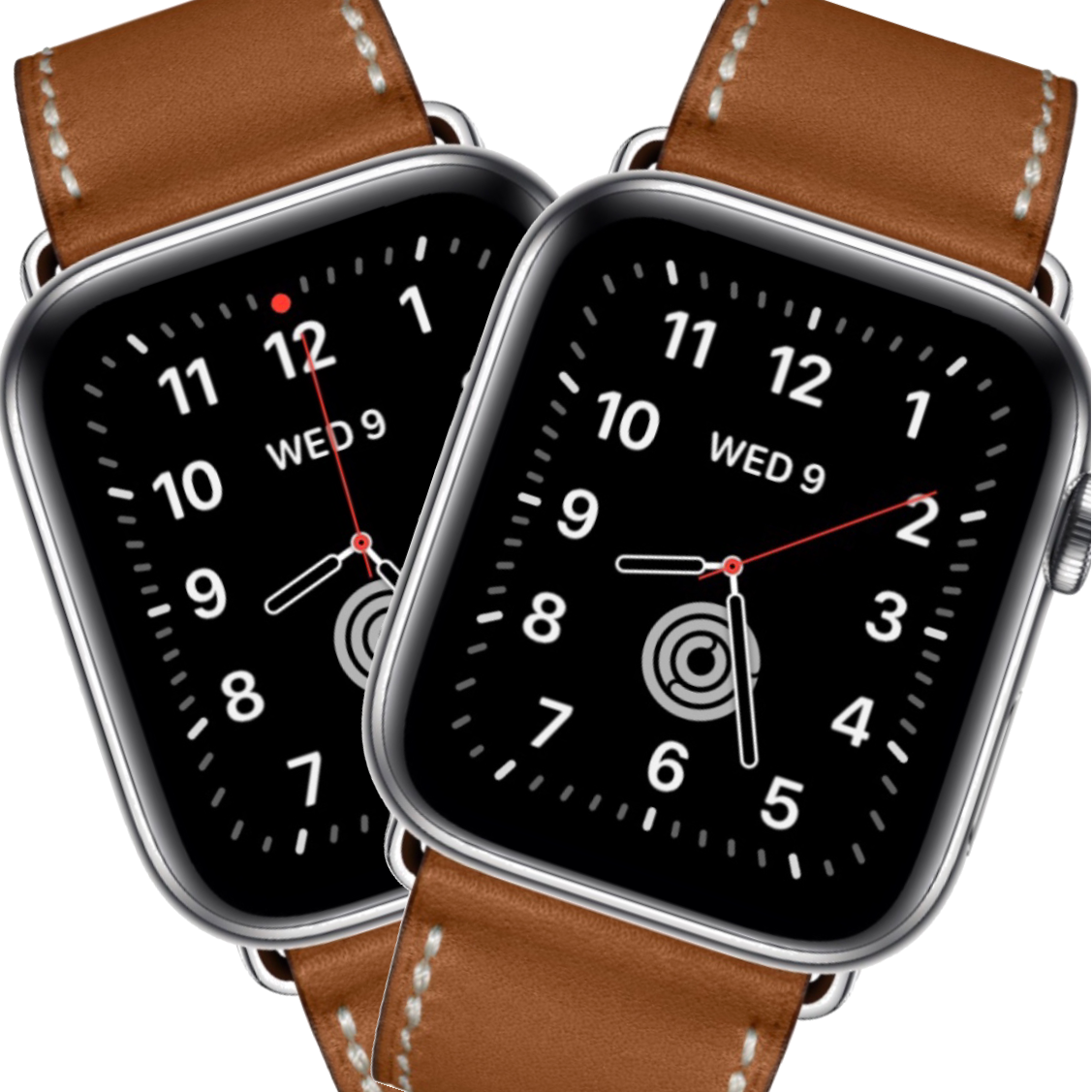 If you own an Apple Watch, I highly recommend turning off the “Notifications Indicator” - the red dot at the top of the screen that indicates something is waiting for your attention. For me, it was an itch I just had to scratch. With it turned off, I am less likely to be distracted when simply checking the time, and therefore more in the moment, and far less stressed. This recommendation of course goes along with the most important piece of advice for Apple Watch users: turn off notifications on the watch for every app except the ones you really care about. For me, this means I mainly have messaging, fitness and authenticator apps going to the watch. Games, Netflix, social networks, and especially news alerts are diverted to my phone (in fact I might just turn off news alerts altogether!). The notifications indicator can be turned off from the Apple Watch app on your iPhone under “Clock Settings”.