How to show your next train on your Apple Watch or iPhone Home Screen
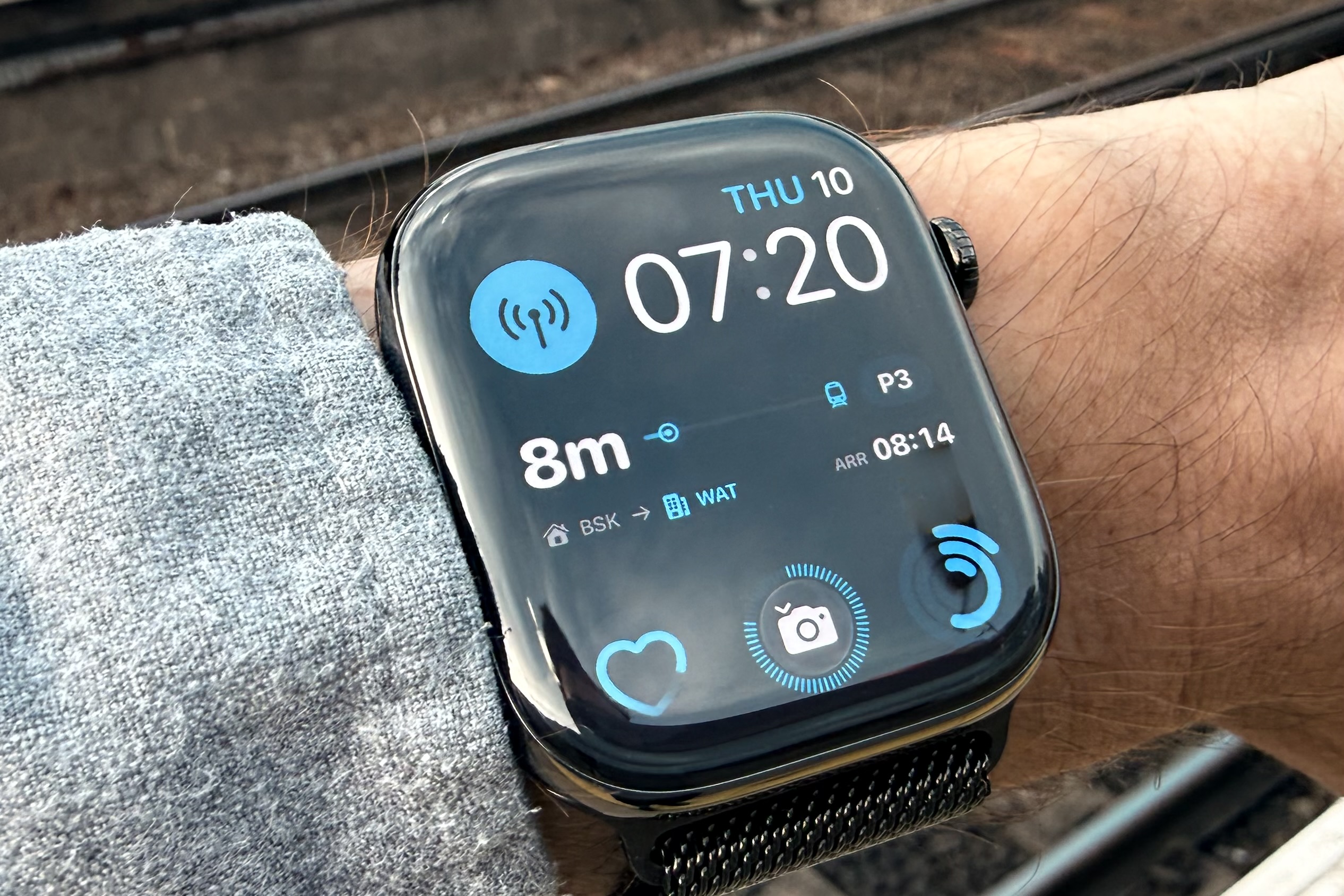 If you regularly commute, then you’ll know the feeling of arriving at Waterloo station, or maybe Paddington, having battled across London on foot, Lime Bike or maybe the Tube. The question arises: which train will get me home fastest? There are many apps that can show you train times, but in my experience they work terribly over poor data connections (phone signal in busy stations at rush hour is often saturated), are poorly built, and seem focused on trying to sell you a ticket or something rather than just telling you the information you need. They will often weight slow trains equally with fast ones. All I want to know is: when is the best train, and what platform is it at so I can decide: do I need to leg it to the platform for a train that’s in 2 minutes, or will I be hanging around for another 20 minutes for the next one?
For the cost of less than a coffee, NxTrain, an app for iPhone and Apple Watch, allows you to configure your commute and then have the next train, time, and platform displayed on your Apple Watch or iPhone’s Lock or Home Screen as a widget. All you have to do is install the app, set up your home and work stations, and the times you typically leave and return. It will then automatically switch to showing your outbound or return train times. It even lets you open the app to see a full schedule of trains.
Now, as I pull in on the Northern Line at Waterloo, where there is no signal (there is everywhere else on the Tube it seems), I glance down at my watch and can already see where and when my next fastest train home will be. If it’s less than 6 minutes, I can usually leg it up the stairs and make it. In the mornings, before I set off on my bike to the station, I will quickly check the schedule to see if my usual train is delayed. No point rushing if it is. The app even pings a notification if there are lots of delays on your line, in case you need to reevaluate whether train travel is worth it today.
Hopefully you find this as useful as I do.